 Primmortal.org
How Primmortal Works: Register, Cite, Verify
Primmortal is an archive for primary sources: scans of original documents, and born-digital files exactly as they were received. Each item is registered once and never edited. Anyone can check that a file in front of them is the exact file that was registered, and anyone can cite it with a short code that leads back to the record.
This post explains how that works, first in general and then for students, archivists, and the academics and journalists whose work depends on sources others can check. Throughout, we separate what exists today from what is still planned.
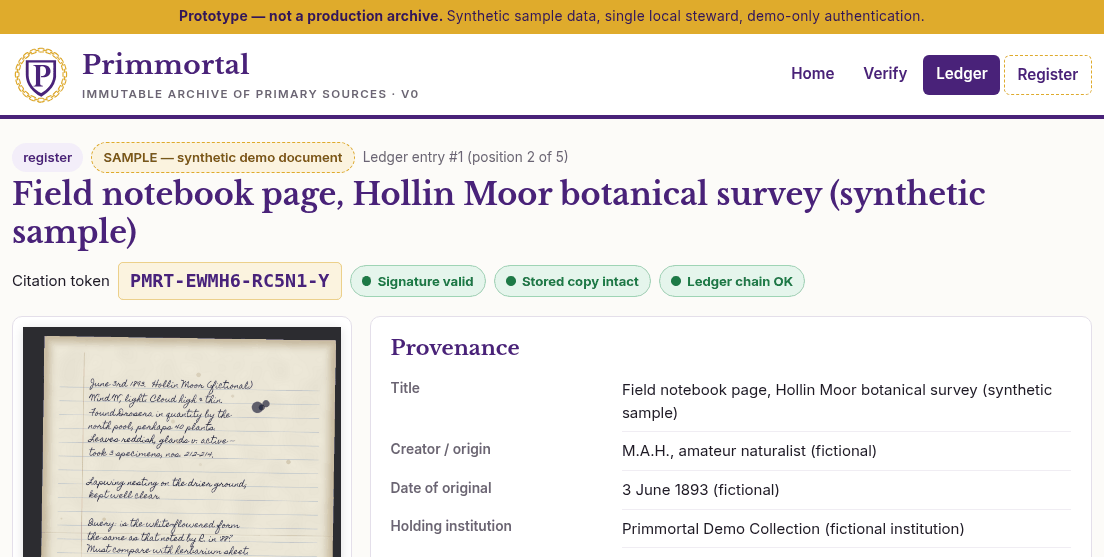
About the screenshots. Every screenshot in this post comes from the Primmortal v0 prototype running on a single computer. The documents in them are synthetic samples, generated by software for the demo and stamped "SAMPLE". Their names, dates and people are fictional. None of them is a real archival item, and the prototype is not a production archive.
The short version
- Register. A steward (an archive or library that looks after a collection) adds a file and a description of where it came from. The file's fingerprint is recorded, and the record can never be edited.
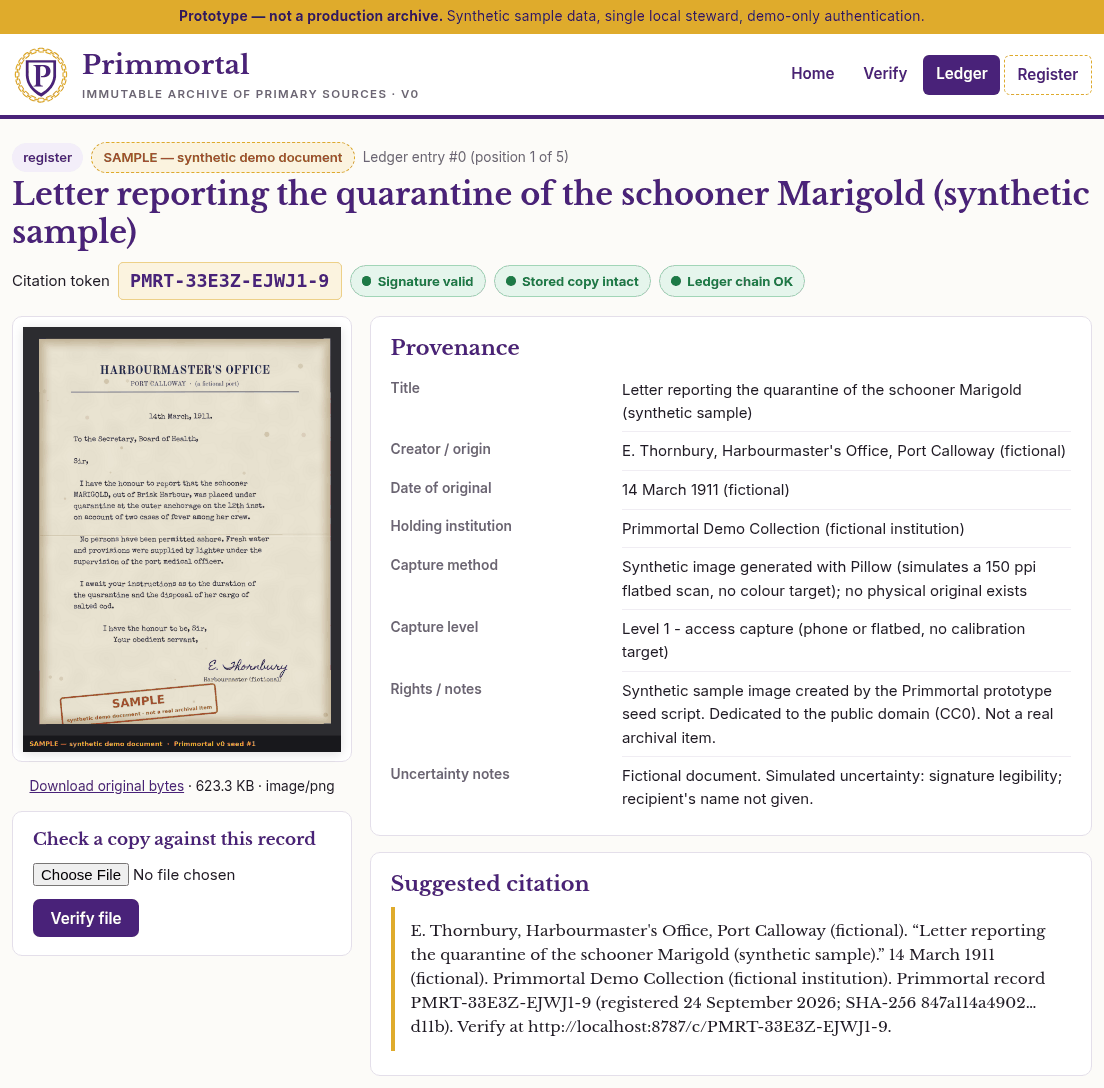
- Cite. Each record gets a short citation token, such as
PMRT-33E3Z-EJWJ1-9, that can be printed in a footnote and looked up later. - Verify. Anyone holding a copy of the file can check whether it matches the record, byte for byte.
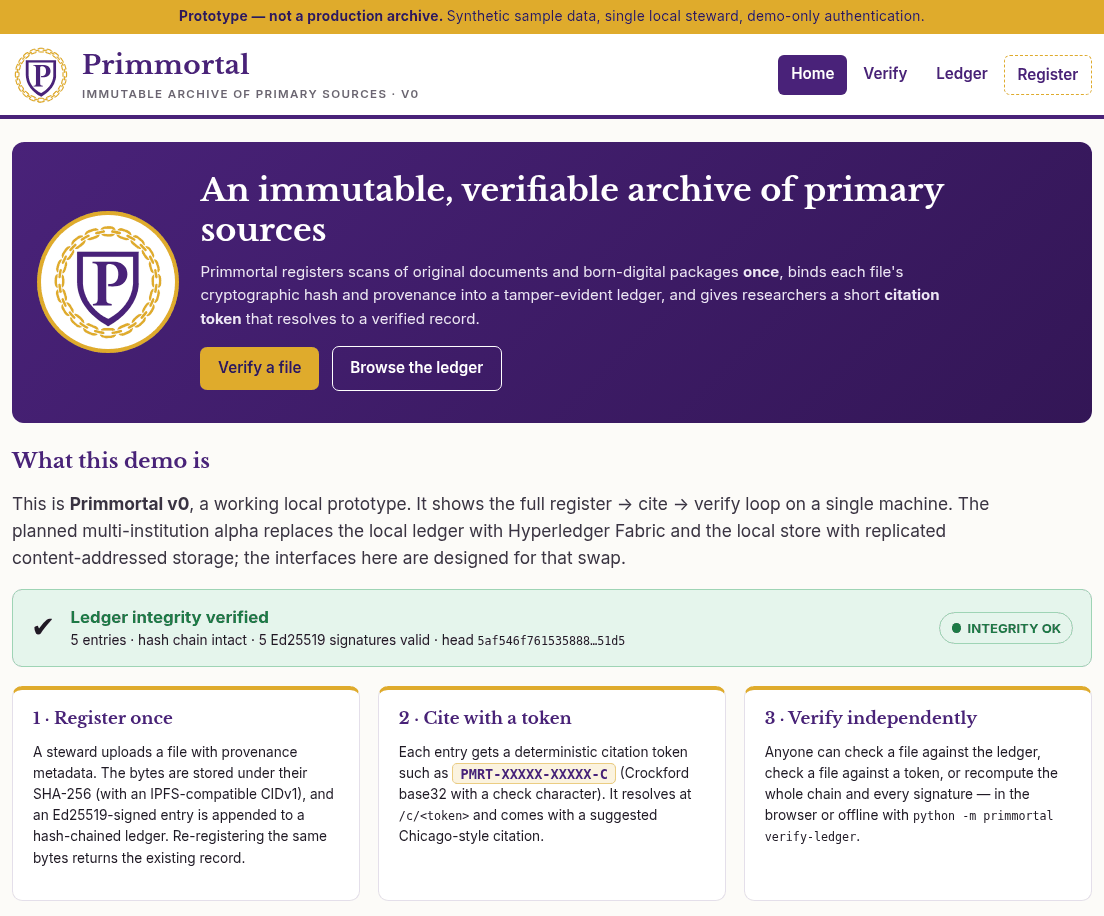
The basic structure
What gets stored
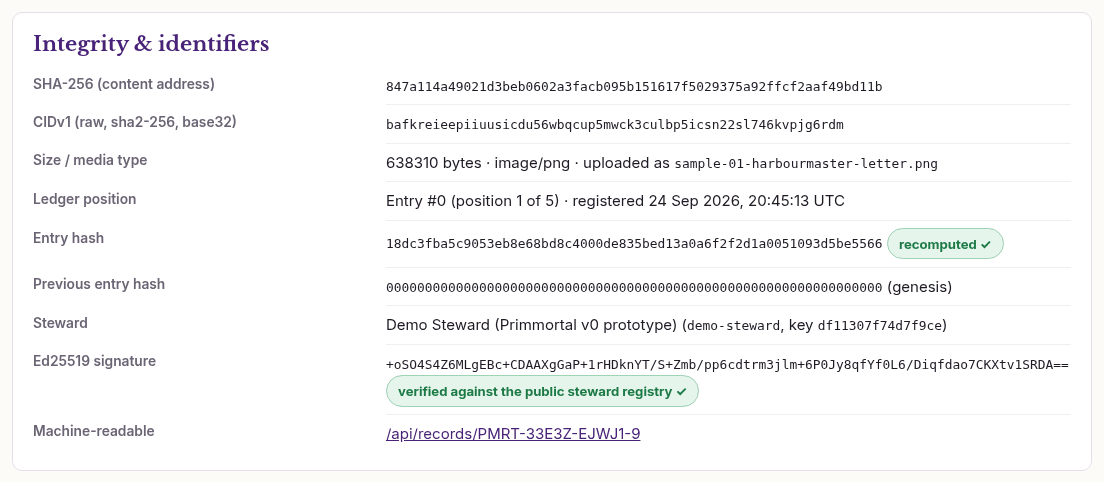
When a steward registers a file, Primmortal first computes its hash. A hash is a fingerprint of the exact bytes in a file: a long string of letters and numbers that changes completely if even one pixel changes. The prototype uses SHA-256, a widely used standard.
The file is then kept in content-addressed storage: it is stored under its own fingerprint, so whoever fetches it by that address can confirm they got exactly the right bytes. The prototype also computes an address in the format used by IPFS, a peer-to-peer storage network, so the files could later be shared that way.
What gets registered is the original capture itself: the master scan, or the born-digital files as received. We call that registered original a prime. Transcriptions, OCR text and web-sized images are copies of a prime, never primes themselves.
What the ledger records
The ledger is the list of every registration, in order. Nothing is ever removed from it or rewritten; new entries are only added to the end. Each entry records the file's fingerprint, its size and type, the description the steward supplied (its provenance), which steward registered it, and when.
Each entry also contains the fingerprint of the entry before it, which chains them together: change any earlier entry, even by one character, and every link after it breaks. The steward also signs each entry. A digital signature is a seal made with a secret key only the steward holds; anyone can check it with the matching public key, and it fails if anything in the entry changes.
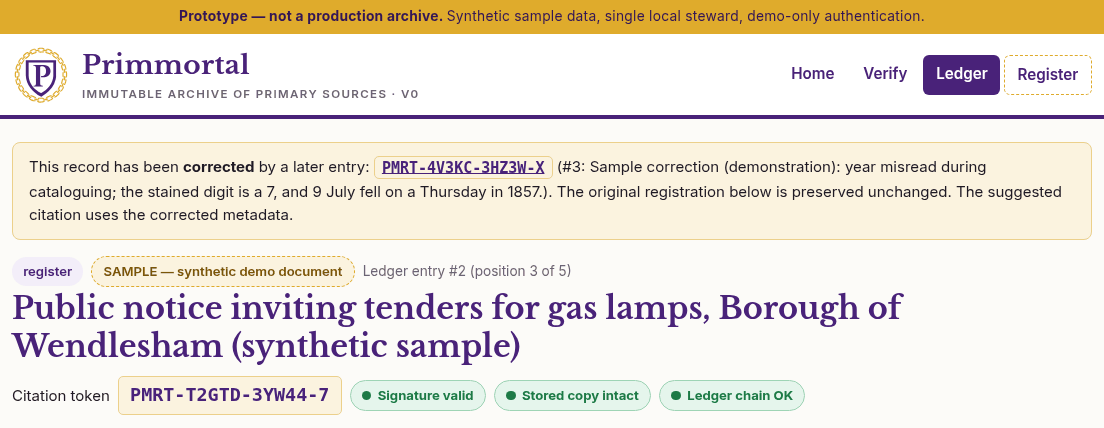
Records are never edited. If a description turns out to be wrong, the steward adds a new correction notice that points to the old record. The old record stays exactly as it was, visible and checkable.
How citation tokens work
Every record gets a citation token like PMRT-33E3Z-EJWJ1-9. It is derived from the ledger entry itself, so it points to exactly one record, and therefore to exactly one file. The last character is a check character: mistype any single character and the prototype notices, instead of sending you to the wrong record. Upper or lower case and hyphens don't matter.
In the prototype, a token opens its record at the address /c/ followed by the token. Each record page also shows a suggested citation that includes the token.
How anyone verifies
The prototype offers three checks. You can upload a file and ask whether it matches anything registered. You can check a file against a specific citation token. And you can re-run the whole chain: every fingerprint and every signature, from the first entry to the last.
None of this requires trusting our server. The ledger can be downloaded as a public export and checked offline, on your own computer, by a short verification program. (The prototype's code is not published yet; the plan is for the verifier to be open source.)
Scan levels: how the original was imaged
- Level 1: a basic optical scan. An ordinary photograph or flatbed-style scan of the page.
- Level 2: multispectral and other non-destructive imaging. Captures made under different kinds of light, such as multispectral or hyperspectral imaging, ultraviolet and infrared, or raking light. They can show what the eye misses. The Library of Congress, for example, uses hyperspectral imaging to study inks and to reveal writing that has faded, been erased, or been covered over. Nothing about the original may be damaged to make the capture.
- Level 3: a holographic scan. This level is theoretical. It describes a future kind of capture that does not exist today.
Scan levels describe how a physical original was captured. How born-digital files fit into this scale is still being worked out.
Citation levels: how a source is cited
- Level 1 citation: the universal citation. A citation token that anyone can use to point to a registered record and verify it. This is what the prototype issues today.
- Level 2 citation: a registered link. The citing work (an article, a paper, a news story) is itself registered in the ledger and linked to the source record it cites, so the connection between the two is on the record. Level 2 citations are planned, not built.
There is no Level 3 citation.
For students
Finding a source. Each registered source has a record page with its description, fingerprint and suggested citation. If a book or article gives you a Primmortal token, type it in to go straight to the record.
Checking a copy you found online. Found a scan on a website and want to know whether it is the registered original or something changed along the way? Upload it on the Verify page. If it matches, you'll see the record it belongs to. If you have a token from a citation, you can check the file against that token specifically.
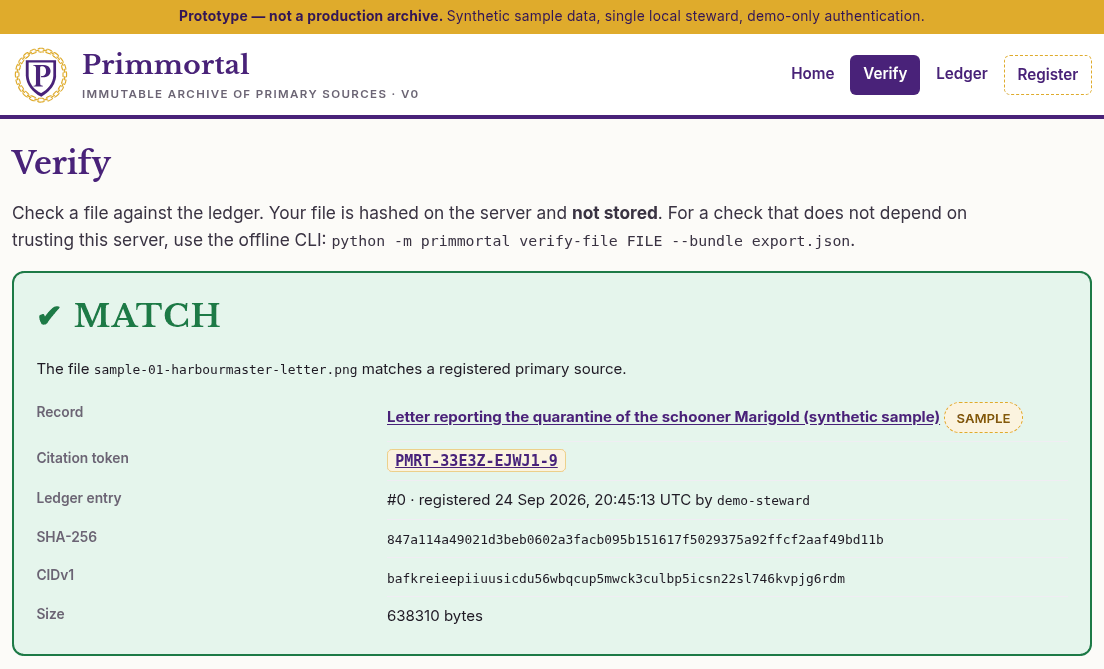
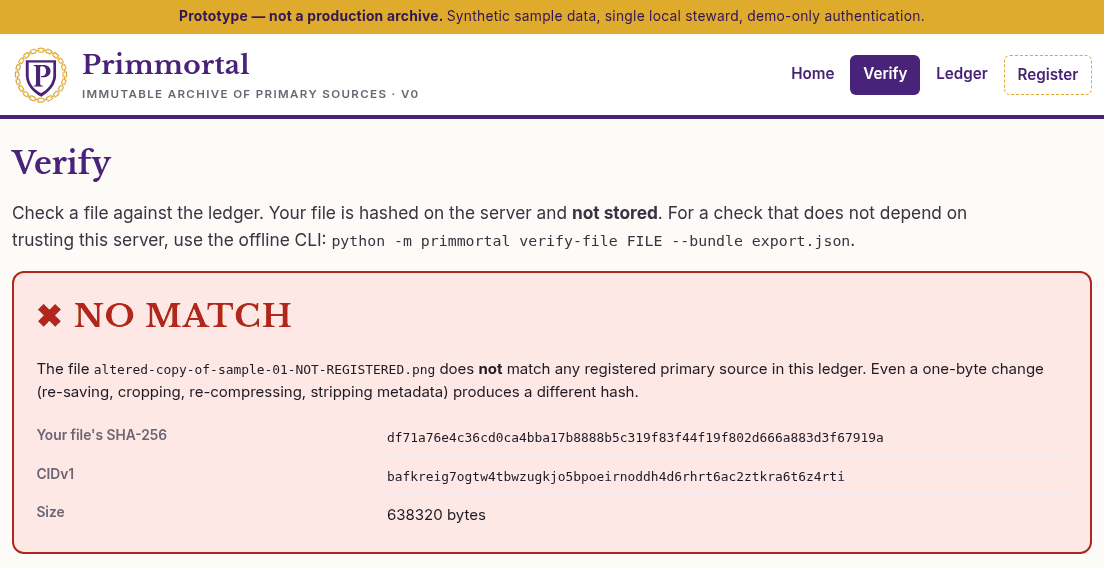
A NO MATCH doesn't necessarily mean anyone was dishonest: re-saving, cropping or compressing an image changes its bytes too. It does mean the file is not the registered original, so it's worth finding the one that is.
Citing it. Copy the suggested citation from the record page, or add the token to your own citation style. Readers can then follow it back to exactly the file you used.
One caution: a MATCH tells you the file is the one that was registered, not that the document is true or its description correct. Those remain questions for you and your sources.
For archivists and stewards
Registering a capture. Registration is for stewards only. In the prototype, a steward signs in with a demo password and fills in a form.
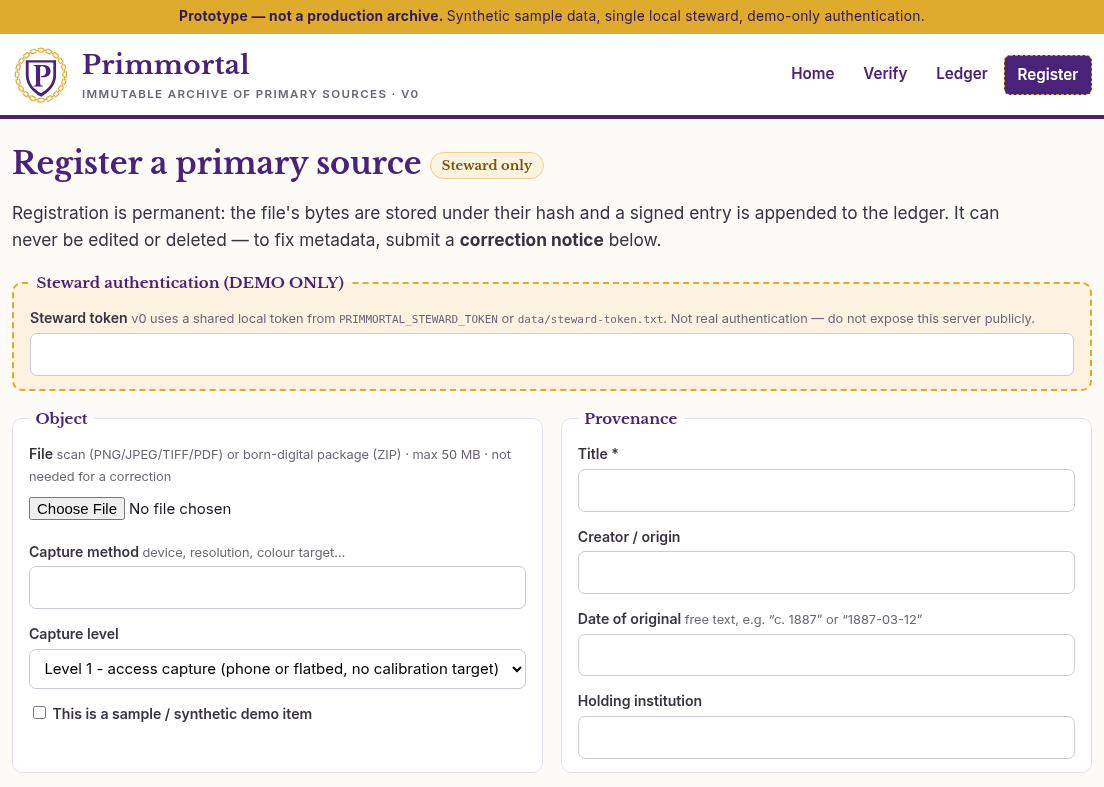
Provenance fields. The form asks for a title, the creator or origin, the date of the original (free text, so "c. 1887" is fine), the holding institution, the capture method, the scan level, rights, a source link, and uncertainty notes: what is doubtful about the date, the attribution, or the completeness of the item. Primmortal records these as the steward's statements. It does not judge them.
Registered once, never edited. There is no way to edit or delete a record, whether through the website, the programming interface or the command line. If you register the same file twice, nothing new is written and you get the existing record back.
Corrections are new records. To fix a description, the steward submits a correction notice that names the old record and gives a reason. The new entry gets its own token. The original record stays exactly as registered, with a notice pointing to the correction, and its suggested citation switches to the corrected description.
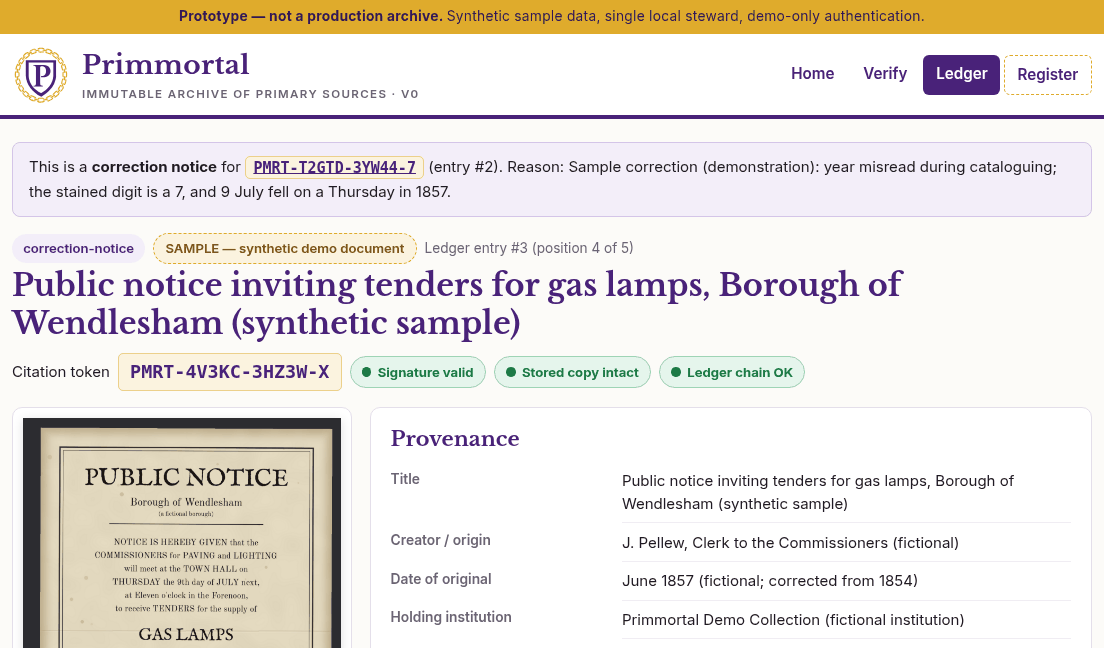
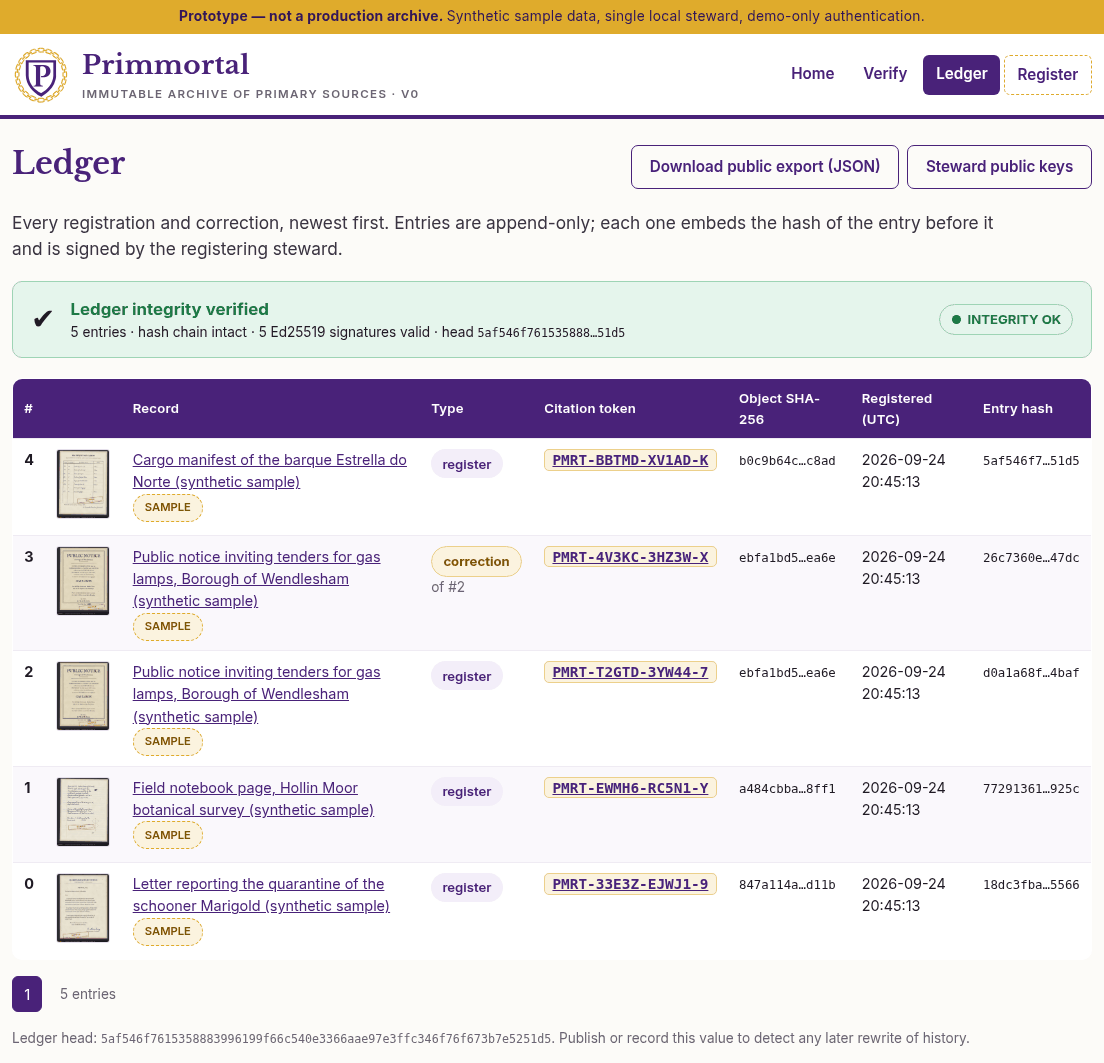
Public export. The Ledger page lists every entry, newest first, with a badge that re-checks the entire chain, and links to download the full ledger and the stewards' public keys. It also shows the ledger's latest fingerprint, its "head". Publishing that value elsewhere lets anyone detect a later rewrite.
For academics and journalists: Level 2 citations
Scholars and reporters make claims that others need to check. Level 2 citations are designed for that work.
What a Level 2 citation adds (planned). With a Level 2 citation, your article, paper or story would itself be registered in the ledger and linked to the source records it cites. The connection would be part of the record, not only in your footnotes: readers could see that this exact version of your work cited that exact source. The prototype does not do this yet; it links records to each other only through correction notices.
Scan levels matter to evidence. A Level 2 multispectral capture can preserve features that a basic Level 1 scan misses, such as faded or erased writing. The scan level tells a reader what kind of capture they are looking at. In the prototype, though, scan levels are simply declared by the steward, not proven.
How an editor or reader can check a token independently. Level 1 tokens work in the prototype today, and checking one doesn't have to go through Primmortal's website. An editor with the file and the token can download the public export, obtain the steward keys and a recent head fingerprint through a separate channel, and run the verifier on their own machine:
python -m primmortal verify-ledger --bundle primmortal-ledger-export.json \
    --keys stewards.json --expect-head <published head>
python -m primmortal verify-file scan.png --bundle primmortal-ledger-export.json \
    --keys stewards.json --token PMRT-33E3Z-EJWJ1-9
The first command re-checks every entry and signature. The second checks the file against the token, and refuses to give a verdict if the ledger itself fails the check. The verifier needs only Python and one widely used cryptography library.
Before you publish, look for corrections. A record's page shows whether a later correction notice exists. Because nothing is overwritten, you can cite the original and note the correction.
What the demo does not do yet
- Scan levels are placeholders, and they are self-declared. The demo's capture-level labels were written before the scan levels above were settled and will be updated. Whatever level a steward picks, the prototype does not check it.
- No real multispectral captures, and no holographic ones. The demo holds only four synthetic, single-image sample "scans". Level 2 multispectral captures are not demonstrated, and Level 3 holographic scanning is theoretical.
- No Level 2 citations. Registering a citing work and linking it to its sources is planned, not built.
- One steward on one computer. Whoever controls that machine and its key could rebuild the whole ledger from scratch. That would be detectable only by someone who kept an earlier head fingerprint or export.
- Demo-only sign-in. Registration uses one shared password, with no user accounts or roles. The prototype is not safe to put on the open internet as it stands.
- A local ledger file, not a shared, permissioned blockchain, and no replication. Files and ledger sit on one disk. No other institution holds a copy or co-signs entries.
- Local clock only. Registration times come from the computer's own clock, with no independent timestamping.
- The code isn't public yet. The prototype, including its verifier, has not been published.
- Sample data only. No real archival items are registered.
- The token format may change. The white paper draft shows a different token format from the prototype's, and 50-bit tokens are fine for a demo but too short at global scale.
- Not hosted publicly. The prototype runs only on a local machine for now.
Where this could go next
These are directions from our roadmap and white paper draft, not promises or dates.
- A consortium of stewards. The vision is governance by institutions such as university libraries and newspapers. No institution has signed on yet; conversations with archivists are planned for late October.
- A shared ledger run by several institutions, with Hyperledger Fabric as the current candidate (the white paper also suggests weighing a simpler append-only log).
- Replicated storage. Keep every file with several stewards in more than one region, via IPFS/Filecoin or institutional replicas, with regular health checks.
- Evidence behind scan levels. Capture equipment could sign each scan at the moment it is made, in the style of C2PA Content Credentials, so a declared level has proof behind it.
- Real steward sign-in and roles.
- Linked derivatives and Level 2 citations. OCR text and transcriptions linked to the prime they came from without replacing it, and citing works linked to their sources.
- Longer, versioned citation tokens that still fit in a footnote.
- A published head fingerprint, trusted timestamps, and a verifier that runs in your browser.
- A hosted demo on real public-domain scans, such as historic newspaper pages from the Library of Congress's Chronicling America. We are working toward putting it online, at an address such as demo.primmortal.org, ahead of a pilot proposal planned for December or January. The timing could change.
The white paper draft, v0.2.1 (PDF), goes into more of the design, including the scan and citation levels described in this post. The earlier v0.2 is archived. We'll post here as each piece lands.